
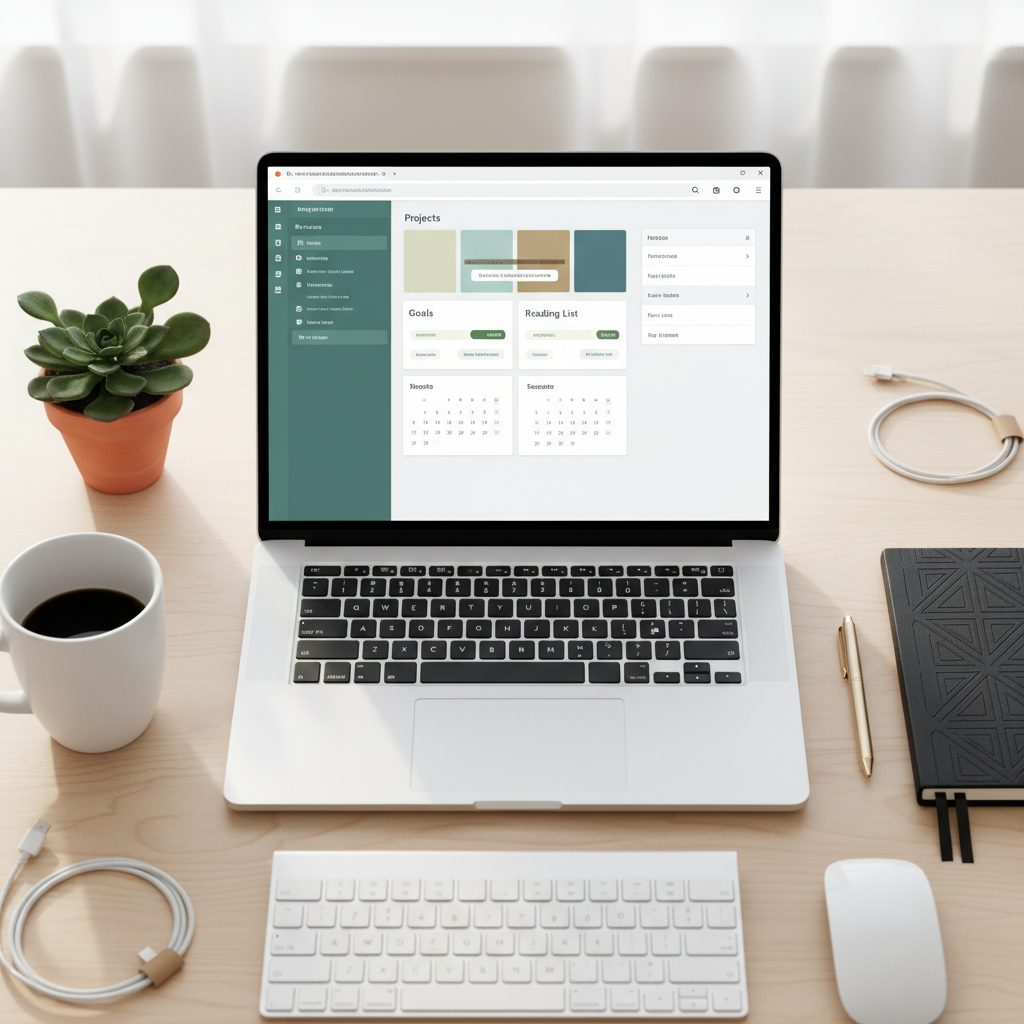
Organize Your Entire Life: 10 Aesthetic Free Notion Templates For Students For Beginners
Let’s be real. That stack of half-used planners, the dozen sticky notes losing their stick, and the three different to-do list apps on your phone aren’t a system—it’s chaos. And that chaos is costing you. We’re talking missed deadlines, late fees on bills you forgot, and worst of all, subscription fees for apps that promise organization but just add to the digital clutter. It’s time to stop the bleed.
Forget dropping $50 on a fancy paper planner or paying $10/month for a project management tool you barely use. We’re about to put you on to the ultimate life-organization hack that’s powerful, beautiful, and best of all, 100% free. Meet Notion. Think of it as digital LEGOs for your life—a single app where you can build your perfect system for tracking classes, managing your side hustle, budgeting your money, and planning your goals. In this guide, we’re handing you the keys to the kingdom: 10 hand-picked, aesthetic, and completely free Notion templates designed to get you from overwhelmed to in control, starting today.
The Hidden Costs of Chaos: Why Your Disorganization is Draining Your Wallet

You might think being a little disorganized is just a personality quirk, but your bank account would disagree. Every forgotten bill is a potential late fee. Every time you buy a duplicate item because you couldn’t find the original, that’s cash down the drain. But the biggest money pit? The endless cycle of ‘productivity’ apps that nickel and dime you every single month.
You download a task manager, but the best features are behind a paywall. You get a budgeting app, but it’s cluttered with ads unless you upgrade. A note-taking app, a habit tracker, a project tool—before you know it, you’re shelling out $20, $30, or even $50 a month just to keep your digital life in order. That’s money that could be going toward debt, savings, or your side hustle. It’s time for a smarter way.
The Real Cost of ‘Premium’ Organization
Let’s break down the math. Using a collection of popular apps for tasks, notes, and budgeting can add up fast. Notion replaces all of them with its free plan, which is more than powerful enough for 99% of people.
| Productivity Tool | Typical Monthly Cost | Annual Cost |
|---|---|---|
| Premium To-Do List App (e.g., Todoist Pro) | ~$5 | $60 |
| Premium Note-Taking App (e.g., Evernote Personal) | ~$15 | $180 |
| Dedicated Budgeting App (e.g., YNAB) | ~$14.99 | $180 |
| Total Potential Annual Cost | $420 | |
| Notion (with Free Templates) | $0 | $0 |
By switching to a unified, free system like Notion, you’re not just organizing your tasks—you’re giving yourself an instant raise of over $400 a year. That’s a no-brainer.
The Ultimate List: 10 Aesthetic & Free Notion Templates to Run Your Life

Alright, let’s get to the good stuff. We’ve scoured the web to find the best-looking and most functional free templates to build your life’s command center. No more blank pages or confusing setups. Just click, duplicate, and start winning.
1. The Ultimate Student Hub
- What it is: A one-stop-shop for your entire academic life. It includes a class schedule, assignment tracker with due dates, a digital notebook for all your subjects, and a grade calculator.
- Who it’s for: High school and college students drowning in syllabi and deadlines.
- The Money Hack: Stop buying a new planner every semester. This template replaces it forever. Plus, by never missing a deadline, you avoid late submission penalties and protect your GPA, which can be crucial for scholarships and financial aid.
2. The Side Hustle OS
- What it is: A simple but powerful dashboard to manage your freelance or side gig. Track clients, projects, invoices, and income goals all in one place.
- Who it’s for: Freelancers, gig workers, and anyone trying to turn a passion into profit.
- The Money Hack: Professionalism gets you paid. This template helps you track invoices so you never forget to follow up on a payment. Tracking your income streams also shows you what’s working so you can double down and make more cash. It replaces paid tools like Trello or Asana for solo operators.
3. The Frugal Finance Tracker
- What it is: A comprehensive but easy-to-use budget dashboard. It features an income tracker, expense log by category, a subscription ‘kill list’ to manage recurring payments, and savings goal trackers with progress bars.
- Who it’s for: Anyone serious about getting their money right, from budgeting beginners to frugal living pros.
- The Money Hack: This template puts you face-to-face with your spending. The subscription tracker alone can save you $100s a year by highlighting services you forgot you were even paying for.
4. The Content Creator’s Dashboard
- What it is: Your new content command center. It includes an idea pipeline (from brainstorm to published), a content calendar, and a place to store scripts, links, and performance stats.
- Who it’s for: YouTubers, TikTokers, bloggers, and Instagrammers.
- The Money Hack: Consistency is key to growing an audience and monetizing. This template helps you plan and schedule content, turning a hobby into a potential income stream without paying for expensive social media scheduling tools.
5. The Minimalist Habit Tracker
- What it is: A clean, visually satisfying template to build good habits and break bad ones. Use checkboxes to mark your daily progress for things like working out, reading, or drinking water.
- Who it’s for: Anyone focused on self-improvement and personal growth.
- The Money Hack: Building good habits has financial payoffs. The habit of meal prepping (tracked here) saves money on takeout. The habit of a daily job search (tracked here) lands you a better-paying gig faster.
6. The Job Application Portal
- What it is: An organized system for your job hunt. Track every application, company contact, interview date, and follow-up email in a clean database view.
- Who it’s for: Students looking for internships, recent grads on the hunt, and anyone looking to level up their career.
- The Money Hack: An organized job search is an effective one. This template prevents you from making embarrassing mistakes (like forgetting who you interviewed with) and ensures you follow up professionally, increasing your chances of landing a higher-paying job sooner.
7. The Smart Meal Planner & Recipe Book
- What it is: A digital kitchen assistant. Plan your meals for the week, automatically generate a grocery list, and save your favorite budget-friendly recipes with photos and instructions.
- Who it’s for: Budget-conscious shoppers, busy students, and anyone tired of the ‘what’s for dinner?’ panic.
- The Money Hack: Meal planning is one of the most effective ways to slash your food budget. This template helps you buy only what you need, reducing food waste and eliminating expensive last-minute takeout orders. Easily save $200+/month.
8. The Personal CRM
- What it is: A Customer Relationship Manager… for your personal life. Keep track of your friends, family, and professional network. Add birthdays, notes from conversations, and reminders to reach out.
- Who it’s for: Networkers, community builders, and anyone who wants to be a more thoughtful friend.
- The Money Hack: Your network is your net worth. Remembering a key detail about a professional contact or sending a timely birthday message can open doors to opportunities and collaborations you wouldn’t get otherwise.
9. The Goal-Setter’s Roadmap
- What it is: A high-level dashboard for your biggest ambitions. Set your 5-year vision, break it down into annual and quarterly goals, and track the key projects that will get you there.
- Who it’s for: Ambitious dreamers who need a system to turn those dreams into reality.
- The Money Hack: A goal without a plan is just a wish. This template forces you to create actionable steps toward your financial goals, whether it’s saving for a down payment or launching a business.
10. The Second Brain Library
- What it is: A digital repository for all the knowledge you consume. Save notes from books, articles, podcasts, and online courses. Tag them, link them, and create your own personal Wikipedia.
- Who it’s for: Lifelong learners, students, and anyone who wants to retain more of what they learn.
- The Money Hack: Instead of re-buying courses or books because you forgot the key lessons, you build a permanent, searchable library of wisdom. This knowledge is the foundation for new skills that can increase your earning potential.
The Quick-Start Guide: How to Snag and Tweak These Templates
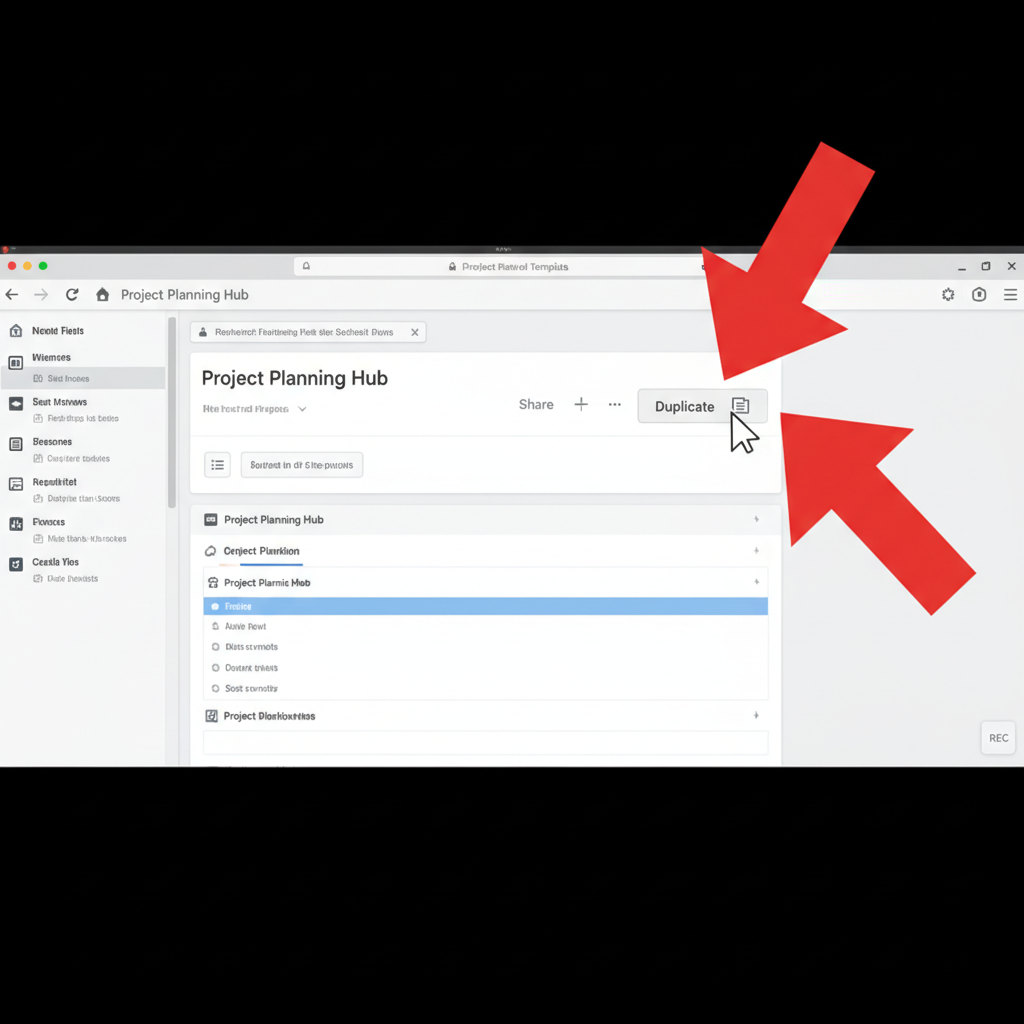
Getting started is ridiculously easy. You don’t need to be a tech genius. Just follow these simple steps to make these templates your own.
- Sign Up for Notion: If you haven’t already, head to Notion.so and create a free account. All you need is an email address.
- Open the Template Link: Find a template you like online (from a creator’s website, YouTube description, etc.). Click the link they provide.
- Find the ‘Duplicate’ Button: In the top-right corner of the template page, you’ll see a ‘Duplicate’ button. Click it.
- Make it Your Own: Notion will copy the entire template into your private workspace. Now it’s yours to edit! Change the titles, swap out the cover photos, add your own tasks, and start organizing.
Key Rule: Always duplicate a template into your own workspace. Never try to edit the original link. Duplicating creates your own private, editable copy so you can customize it however you want without messing it up for everyone else.
Conclusion
The idea that you need to spend money to get organized is a myth sold to you by companies that profit from your chaos. You don’t need another expensive planner or a dozen subscription apps. You just need one powerful, flexible system that you control. Notion, combined with the incredible free templates created by its community, is that system.
You now have 10 starting points to build a digital command center that works for you, not against you. Take control of your classes, your side hustle, your budget, and your goals. Stop paying for organization and start investing that money back into your future. The only thing it costs is a little bit of your time to get started, and the payoff is a more organized, less stressful, and wealthier life. So go ahead, pick a template, and start building.